 Boyfriend Cam

I am Sona Orbit, the solo developer behind Boyfriend Cam. The quoted hints in this article are actual framing cues from Boyfriend Cam. Written on November 14, 2026.
1. Holding the phone tilted
This is the most common mistake and the easiest to overlook. Tilt the phone even slightly, and horizons, door frames, and building lines tilt with it. The entire photo looks unstable.
The fix is simple: look at the longest horizontal or vertical line in the frame before you shoot. Level it out. In Boyfriend Cam, the cue for this is:
Hold the phone level
The exception is an intentional tilt. If you want a casual snapshot feel, tilt it on purpose. Just make sure it looks intentional rather than accidental.
2. Cropping at knees, ankles, or tight headroom
Cutting someone off right at the knees or ankles makes legs look chopped off. Cramming the top of their head against the top edge makes the shot feel cramped.
- Full body: keep her feet in the frame. Put her feet near the bottom edge and lower your phone slightly. Her legs will look longer.
- Half body: crop at the waist or chest, never across a joint. Place her eyes about one-third from the top edge, leaving just a little headroom.
- Headroom: leave a small gap above her head. You do not need a lot.
The app cues for this are “Don’t cut at the knees” and “Leave room above her head.” Fix these first. Even great composition looks bad if you crop through a joint.
3. Standing dead center every time
Centering her is not wrong, but doing it in every photo gets stiff. Try the rule of thirds. Place her about one-third of the way from the left or right edge.
- Leave extra space in the direction she is looking. Giving her gaze room to travel makes the photo breathe.
- If one side of the background is cluttered and the other is clean, place her on the cluttered side. Leave the clean side open.
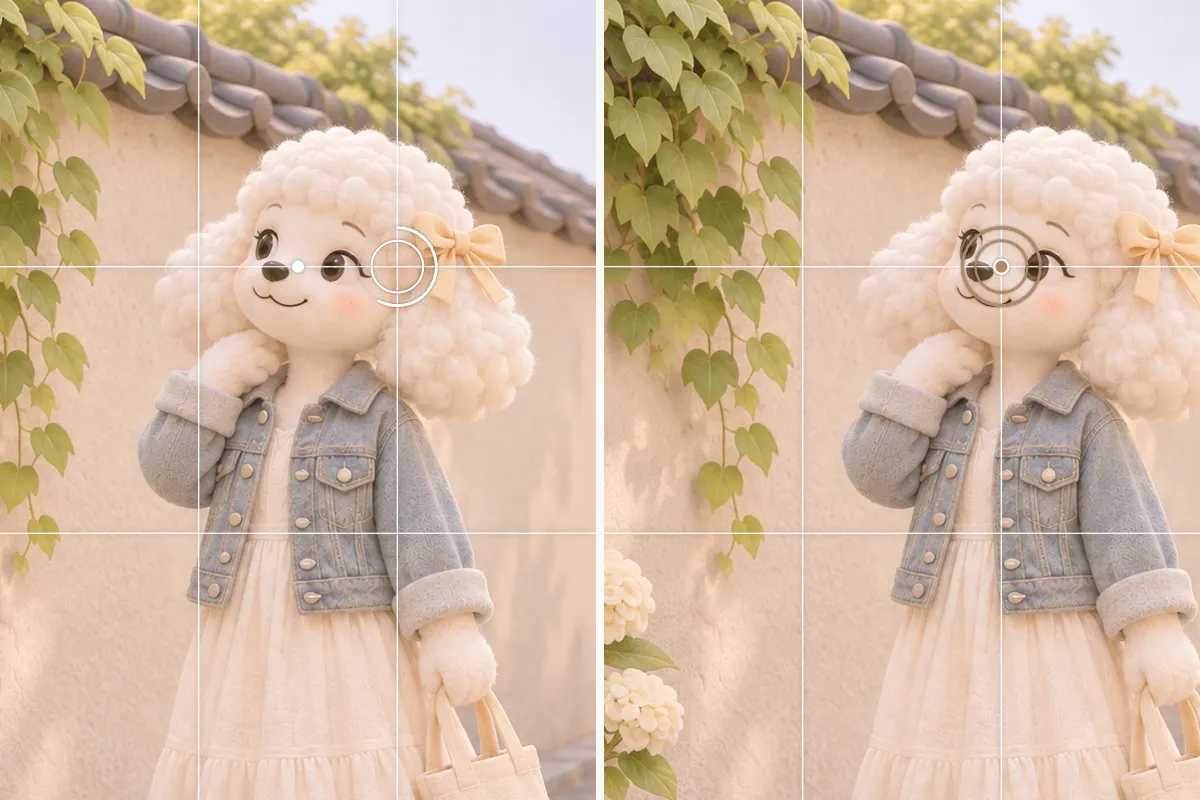
When should you center her? Symmetrical backgrounds like hallways or architectural arches work best centered. It also works well when she looks straight into the lens.
4. Messy backgrounds and sizing
When the background is too busy, she gets lost. Try these three approaches:
- Negative space: find a clean wall, open sky, or water. Leave that side open so she stands out.
- Sky space: tilt the camera up slightly to include more sky. It makes the frame feel open.
- Small subject, big scenery: when the scenery is stunning, make her smaller. Let the location tell the story so you can see where she was.
On the other hand, if you want a portrait, standing too far away lets the background swallow her. Take a step closer. Boyfriend Cam will say “Get a little closer.” If the light is too dim, it warns you first with “It’s a bit dark here.” Moving to better light helps more than any composition trick.
5. She does not know how to pose
Telling her to “say cheese” usually leads to a stiff smile. Giving her a simple action works better. It distracts her and creates natural expressions. You can say these directly to her:
| Category | What to say to her |
|---|---|
| Gaze | Look at the ground, count to three, then look at me |
| Expression | Think about what we’re eating later |
| Expression | Just a slight smile, no teeth needed |
| Hands | Brush your hair back |
| Body | Relax your shoulders and drop them down |
| Movement | Take three steps forward, then look back |

On the left, she stands facing the camera. On the right, she glances to the side and brushes her hair back. One small action, and she looks much more natural.
Boyfriend Cam calls these prompts the “cheat sheet.” They are split into six categories: gaze, expression, head and face, hands, body, and movement. When she asks “How should I pose?”, just read one out loud.
6. Quick reference table
| Issue | What to fix before shooting |
|---|---|
| Tilted phone | Level the longest line in the frame (unless tilting intentionally) |
| Cropping at knees or ankles | For full body, include feet and lower phone; for half body, crop at waist or chest |
| Tight headroom | Leave a little space above her head |
| Always centered | Move her to a third and leave space where she looks; center only for symmetrical backgrounds |
| Messy background | Find a clean area for negative space, or leave space for the sky |
| Subject too small or too dark | Take a step closer; move to a brighter spot |
| Stiff expression | Give her a simple action, like “look at the ground, count to three, then look at me” |
Boyfriend Cam watches for these issues while you frame the shot. It displays one target ring and one short hint on screen. Adjust your phone, and it says “Now” when everything lines up. It recognizes 23 compositions, but only shows up to 3 relevant ones at a time. It never takes the photo for you, and hints are just suggestions. After the shot, you can recompose it as another composition, pick a ratio, and save a new copy. Learn more on the Boyfriend Cam intro page.
7. FAQ
Do I need an app to use these tips?
No. Every tip here is something you can check with your own eyes before shooting. You can use any camera. Boyfriend Cam just reminds you while you frame.
Does Boyfriend Cam take the photo automatically?
No. It only provides cues and never presses the shutter for you. You can take the shot at any time. The hints are purely suggestions.
Does it work for selfies?
Yes. Switch to the front camera, and cues adjust to tell you how to move your phone. The cheat sheet also switches to prompts you can follow yourself.
Can I change the composition after the shot?
Yes. Recompose a photo as another composition that fits, in Original, 3:4, 4:5, 1:1 or 9:16. It only crops, saves a new photo, and leaves the original untouched.
Is the app available in other languages?
Yes. The app is in English, Traditional Chinese, Simplified Chinese, Japanese, Korean, Thai, Spanish, German, French and Brazilian Portuguese, and follows your iPhone’s language.