 Independent third-party app · for the Omi pendant
What your pendant hears becomes your day.And it stays on your own backend.
Ear for Omi is an iPhone app for the Omi pendant. Recordings go to a backend you set up yourself, which turns them into topics, to-dos and memories and sends them back to your phone.
Download on the App StoreBefore you buy, make sure you have both
- 1An Omi pendantThe wearable recorder. The app receives its audio over Bluetooth.
- 2Your own backendA recording backend plus a “second brain” knowledge service that you run yourself. It does not come with the app.
Without either one, the app can only show its built-in demo data.
The same day, two ways
On the left, a day as the pendant recorded it. On the right, the same day after your backend has organized it.
A day of recordings
- Let’s settle when the new version ships.
- This is version A, a list. This is version B, cards.
- Shall we plan the November trip?
- Any discomfort where we did the filling?
- Come home for lunch this Saturday, I’m making braised pork.
- Today we review the te-form.
Organized into your day
- 🗓️Weekly meeting: release schedule
- 🎨Home page redesign review
- 🍜Lunch: planning Kyoto in November
- 🦷Dentist follow-up and cleaning
- 🏠Lunch at home this weekend
- 📚Japanese class: te-form review
What a conversation turns into
Your backend does the organizing; the app brings the result to your phone. The conversations below are the app’s built-in demo data.
One conversation, one topic card
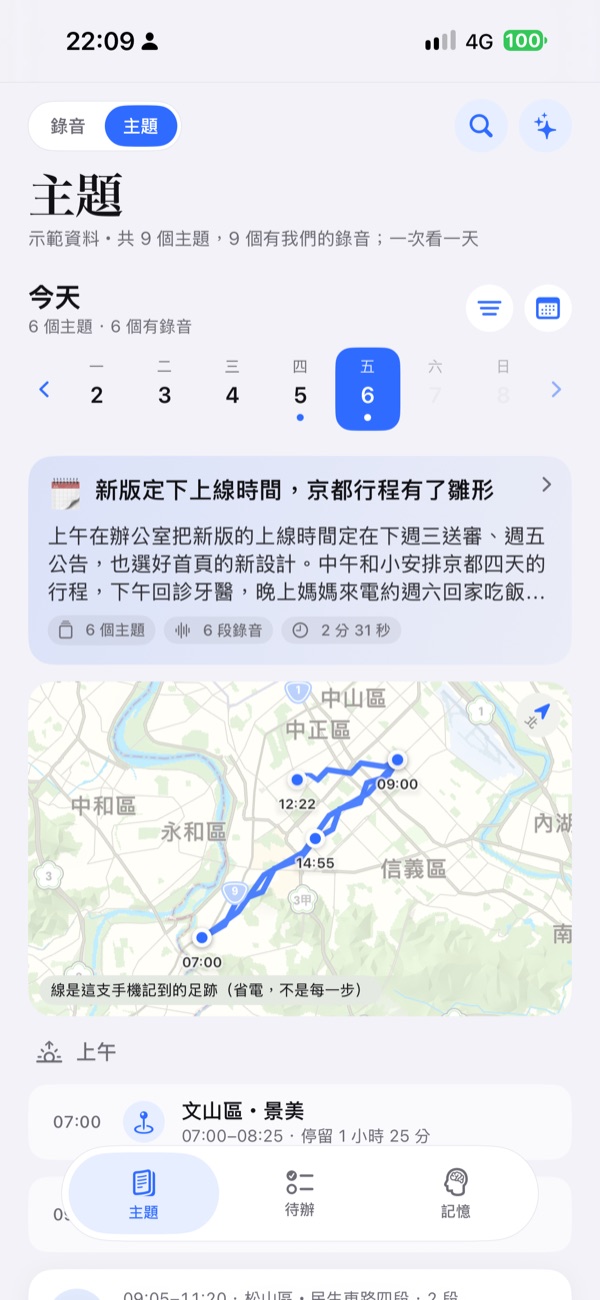
Your backend splits the day’s conversations into topics, each with a title and a one-line summary. Browse them day by day.
Shall we plan the November trip?
Let’s stay near Shijo. Easy for trains and food.
We should reach Arashiyama before eight, or it gets crowded.
An and I had beef noodles and sketched out four days in Kyoto. Booking the hotel comes first.
Every point comes with the original words
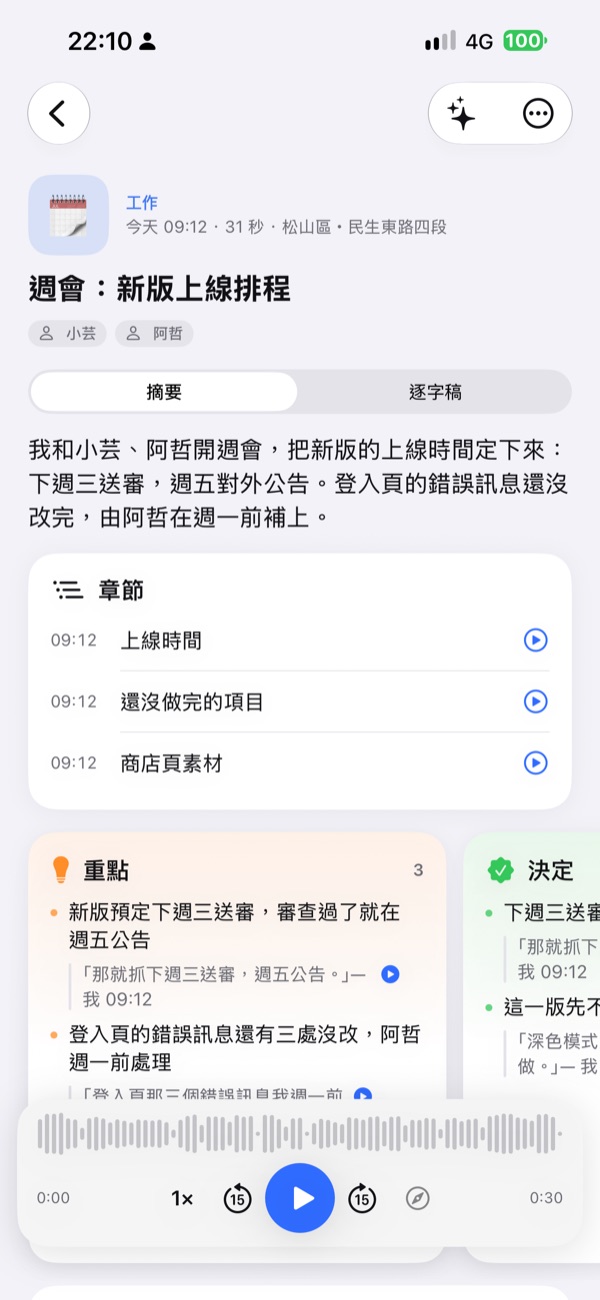
Under each key point is the sentence it came from, so you can see what the summary is based on.
- Key pointStay near Shijo, convenient for everything
Let’s stay near Shijo. Easy for trains and food.
— Me - DecisionBook the hotel this week; An handles the flights
I’ll book the hotel tonight. The flights are yours.
— Me
Tap a sentence, hear it from there
Tap the quote under a key point and the recording plays from that sentence, with the transcript following along.
We should reach Arashiyama before eight, or it gets crowded.
- MeLet’s stay near Shijo. Easy for trains and food.
- AnWe should reach Arashiyama before eight, or it gets crowded.
- MeThen let’s do it on the second morning.
At the end of the day, read this page
The day’s highlights, the decisions made, and what is still open, each on its own card.
A release date is set, and the Kyoto trip is taking shape- Submit the new version next Wednesday, announce on Friday
- Go with card-style version B for the home page
- Nobody owns the push notification copy yet
- Flights to Kyoto are not booked
- An interdental brush cleans better than floss next to the lower-right wisdom tooth
What was said becomes a to-do
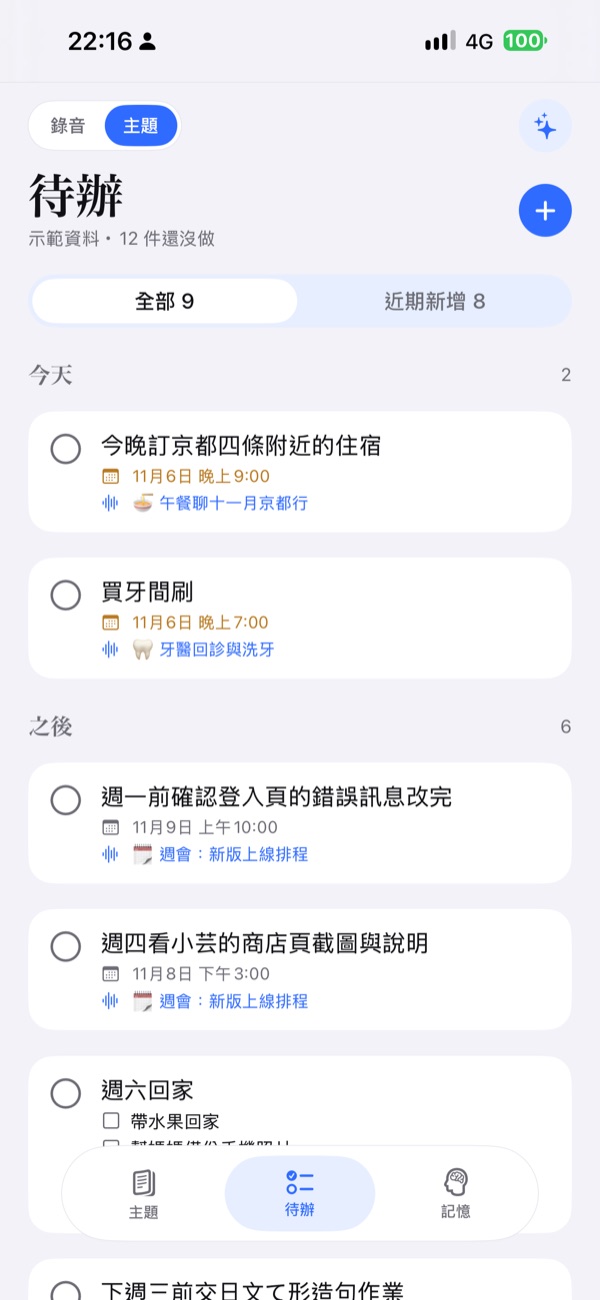
Things mentioned in conversation are listed as to-dos. Those with a due time remind you, and each links back to the topic it came from.
I’ll fix those three error messages on the sign-in page by Monday.
Once-a-year chores show up only when due
Things you do once a year or every few months stay on a shelf of their own, and return to the list shortly before they are due.
Things about you, and the people around you
Things said about you become memories. People who come up often get a card of their own.
Come back for another cleaning in six months.
Together since 2019; loves travel and photography
And also
- The day’s footprint mapWhere you were that day, only if you turn it on. Your footprint is kept on your phone and sent to your own second brain.
- Live transcriptA draft appears on your phone while you talk, using the speech recognition built into iOS.
- Catches up after a dropoutWhen the backend can’t be reached, audio waits on the phone and is sent later. Recordings the pendant made offline are synced too.
- Voice commands from the buttonPress the pendant button and speak: ask about the past, add a to-do, or have something remembered.
- Widget and Lock ScreenMute and unmute from a widget or the Lock Screen without opening the app.
- Demo modeA day of sample data and sample recordings is built in, so you can look around. It does not replace a backend.
Your data stays with you
- The developer runs no serverNothing of yours is collected, stored or analyzed.
- No account, ads or trackingNo sign-up, and no analytics or tracking SDK in the app.
- Audio goes to one placeOnly to the backend you pair the app with.
What the app looks like
Screens from the app’s built-in demo data. The app’s interface is currently in Traditional Chinese only.
What the backend is, and how to get it
Ear for Omi does not organize anything by itself. What the pendant records is handled by two services you run yourself: a recording backend turns audio into transcripts, and a “second brain” turns transcripts into topics, to-dos and memories. The backend does not come with the app; email us and we will send you the code and the setup guide.
- Pendant
- iPhone
- Your own computer
- Back to your phone
Questions
Is this the official Omi app?
No. Ear for Omi is an independent, third-party client. It is not affiliated with Based Hardware.
How is it different from the official app?
Recordings and data go to a backend you set up yourself. The developer has no server and never handles your data.
Can I use it without a backend?
No. Without your own backend the app can only show its built-in demo data. Please make sure you have a backend before you buy.
Where do I get the backend?
The backend does not come with the app. Email the support address and we will send you the code and the setup guide. How it works and what you need are on the Backend page.
How much is it?
US$139, a one-time purchase with no subscription. It is currently available only on the Taiwan App Store, where the price is shown in New Taiwan dollars.
What language is the app in?
The app’s interface is currently in Traditional Chinese only.
Check you have a pendant and a backend, then download.
Without either one, the app can only show its built-in demo data.
Download on the App Store