
First 21 days
- Draw areas, set filters, get notifications
- Auction details, watching, list mode
- No payment details, nothing is charged when it ends
RingsideiPhone app for Taiwan's foreclosure auctions
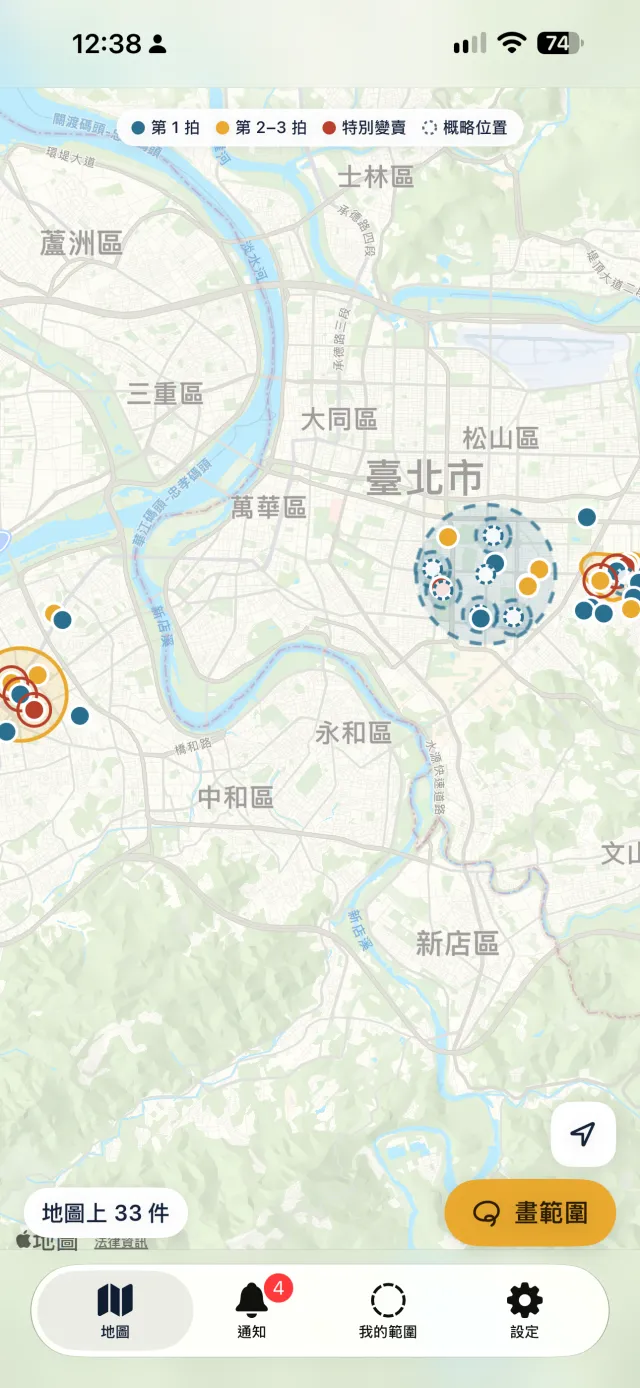
Circle a school district, the streets around your metro station or your parents' neighbourhood. When a court or the Administrative Enforcement Agency announces a new property auction in that area, your phone gets a notification. No more checking the court websites every day.
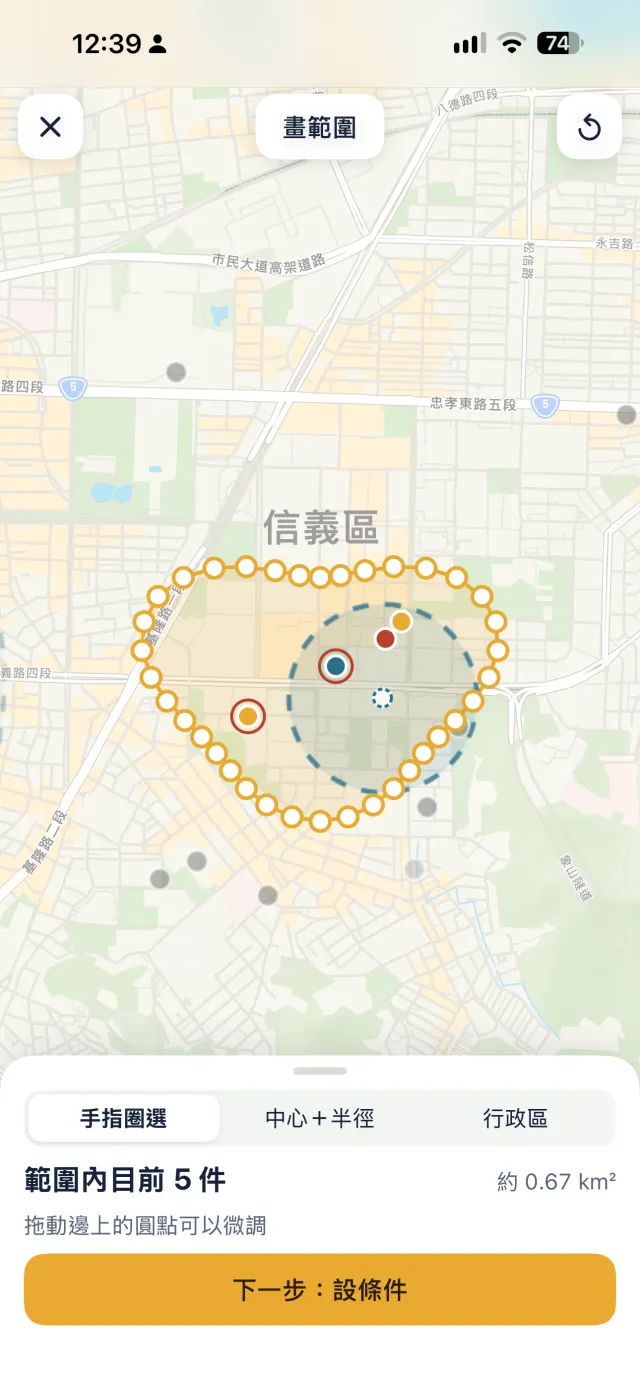
Draw an area
Tap Draw Area at the bottom right of the map and pick one:
You can keep up to 20 areas, each with its own name.
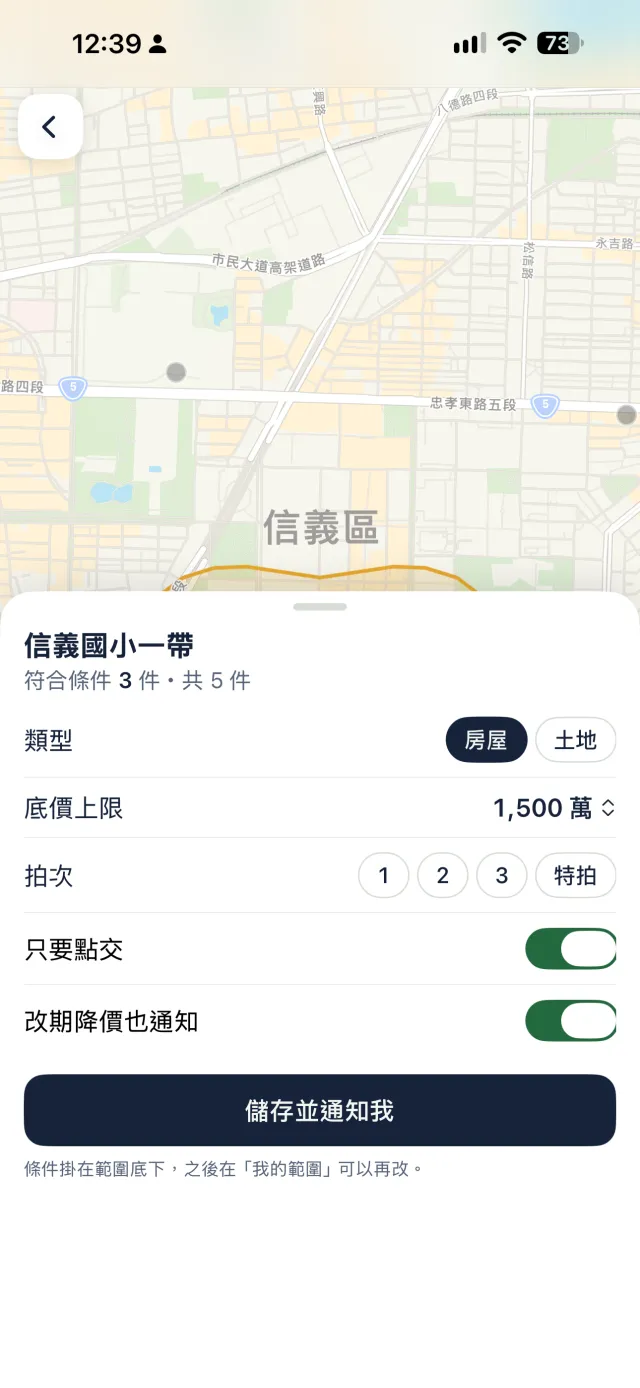
Filters
Each area has its own filters: house or land, a reserve price limit, the auction round (1st, 2nd, 3rd or special sale) and handover only.
Turn on Also alert on new dates and price drops to also hear about price drops, new dates and cancelled auctions inside the area.
Notifications
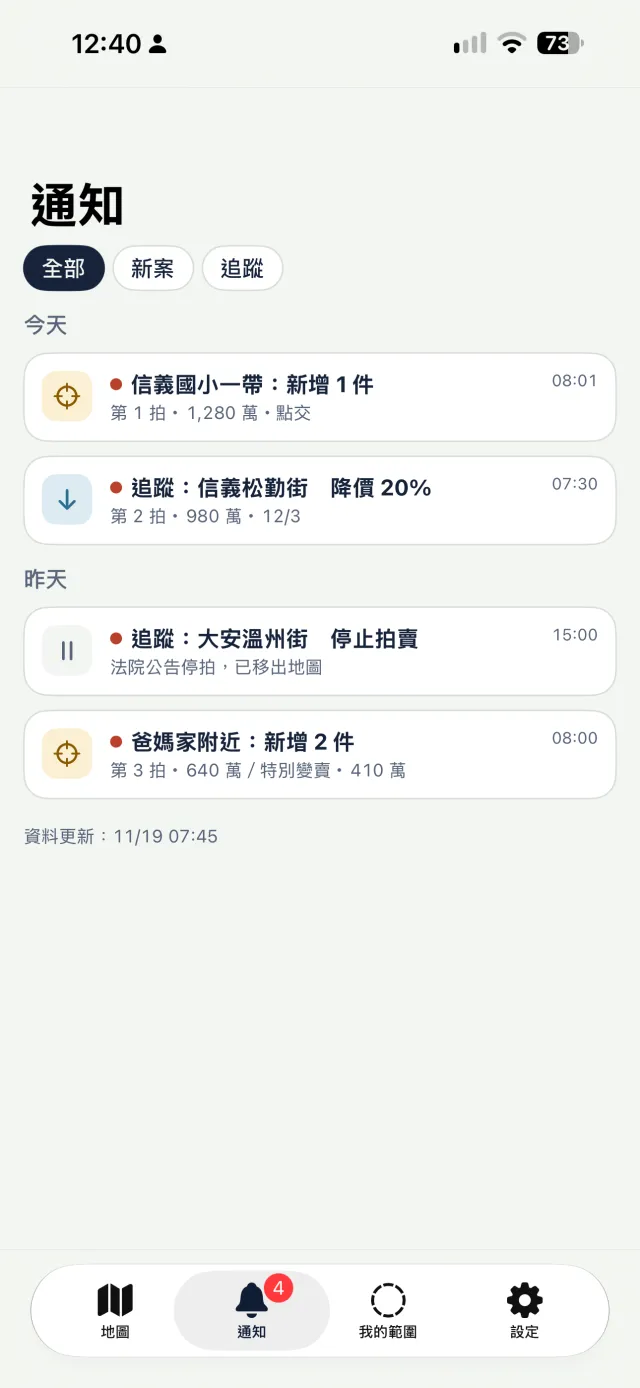
During the day the data is updated about every 2 hours. When a new notice inside one of your areas matches its filters, you get a push notification.
Every notification also stays in the Alerts tab, where you can show only new auctions or only the ones you watch.
Auction details
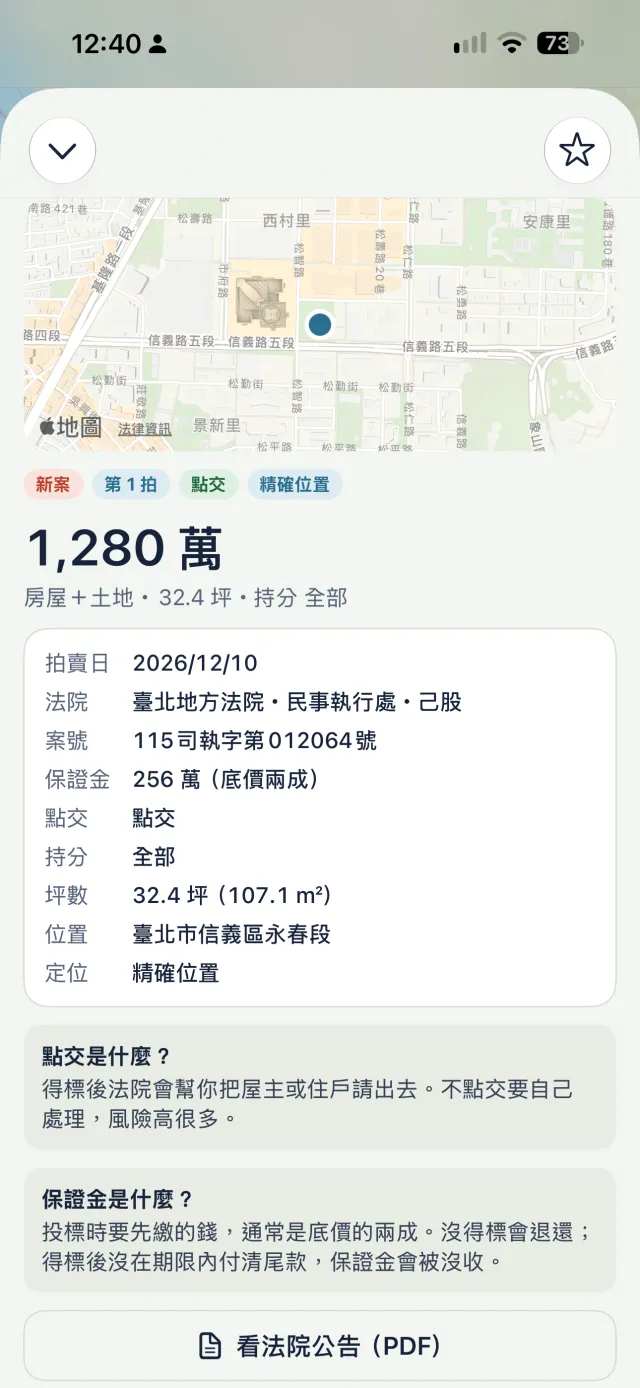
Each auction shows the auction date, court, case number, deposit, handover, ownership share, size and address, plus how the reserve price changed from round to round.
Plain explanations of handover, ownership share, special sale and deposit sit right below. To read the original, tap View court notice (PDF) or View Photos, which open the page on the official website.
My Areas
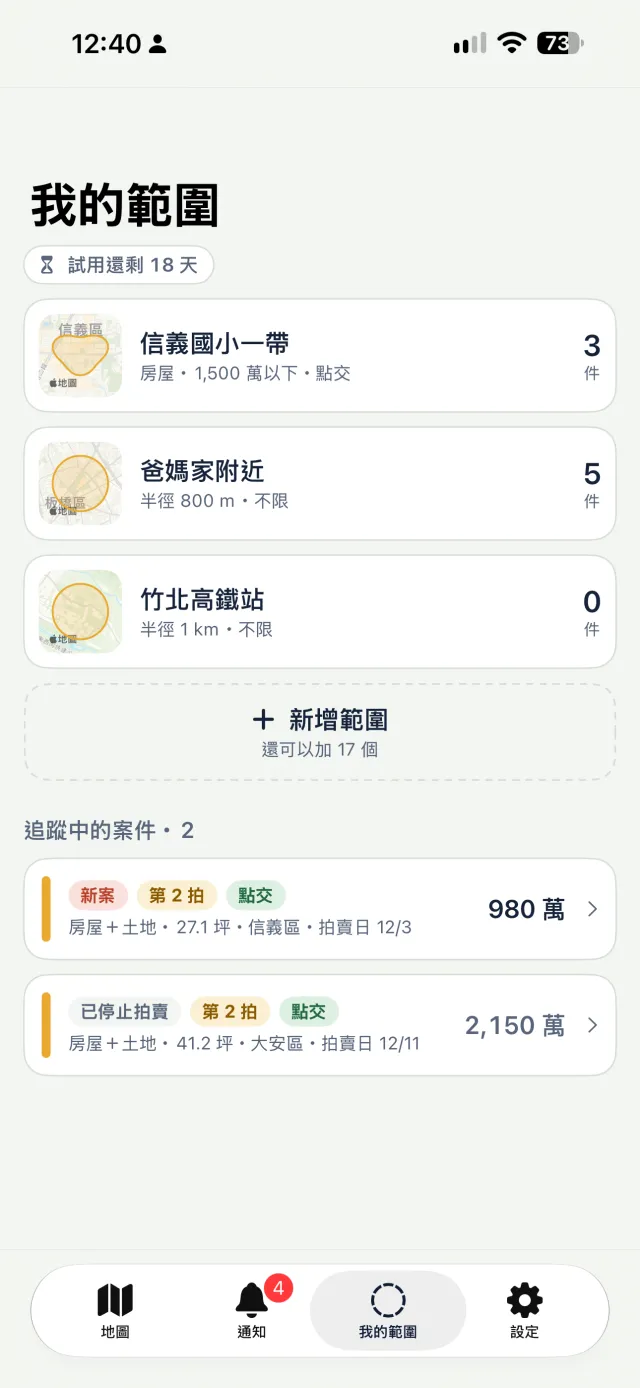
My Areas lists each area's name, filters and current count. Tap one to see the auctions inside.
To keep an eye on an auction outside your areas, tap Watch at the top right of its details. You will be notified when its date, price or status changes.
List mode
Pick a city and a district to see its auctions as a list, sorted by newest notice, auction date or price.
Found a district worth watching? Tap Make This District an Area and you will be notified of new auctions there.

Land locations
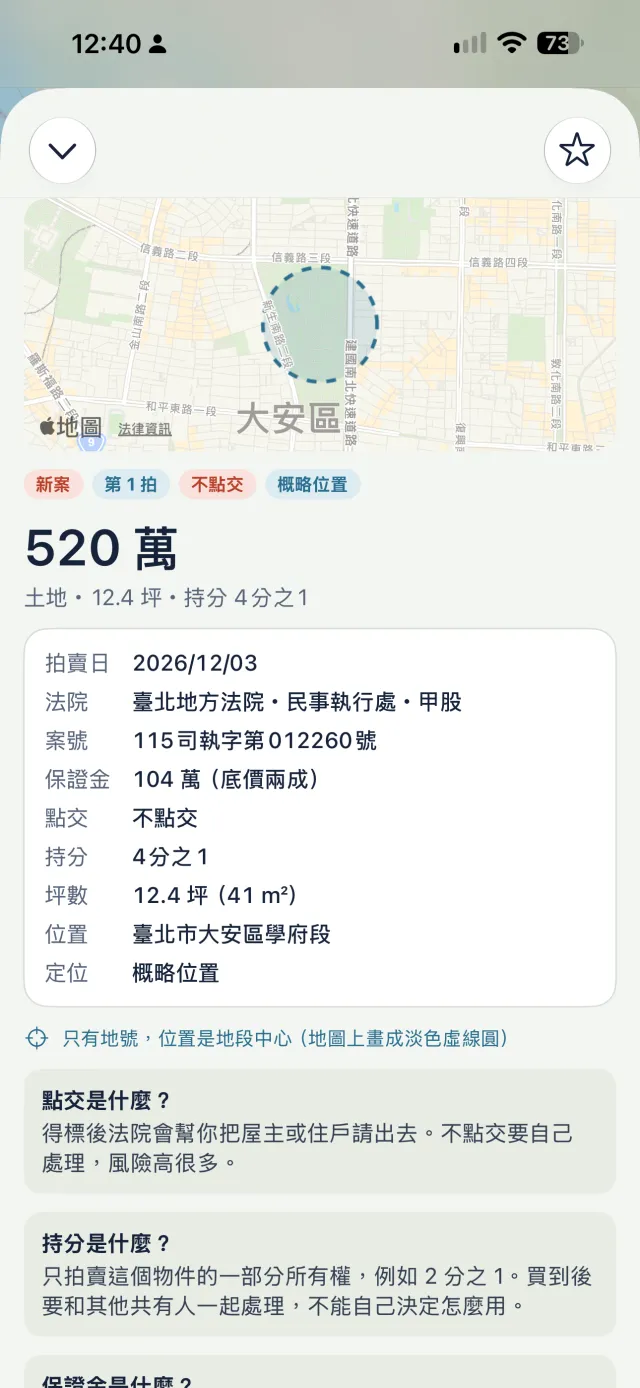
Many land notices give only a parcel number and no street address. Ringside places these at the center of the land section, draws a pale dashed circle on the map and marks the location as Approximate. Notices that name only a district are placed at the district center and are not matched against freehand or radius areas.
That is why the map shows houses by default. To see land, tap Land on the map.
For 21 days from the first time you open the app, every feature is free, with no payment details needed. After that, Ringside Pro keeps your data and notifications running.
If the trial ends without a subscription, your areas are kept but updates and notifications pause. They resume when you subscribe.