
Guomu
English

iPhone App

Files your iPhone can’t open,opened in Guomu.

Got a .md, .json, .zip or .srt file and no app to open it? Tap Share in any app, choose Guomu, and read it full screen. If something needs changing, leave a note.

Download Guomu on the App Store
  • Free download
  • 38 file formats
  • No account
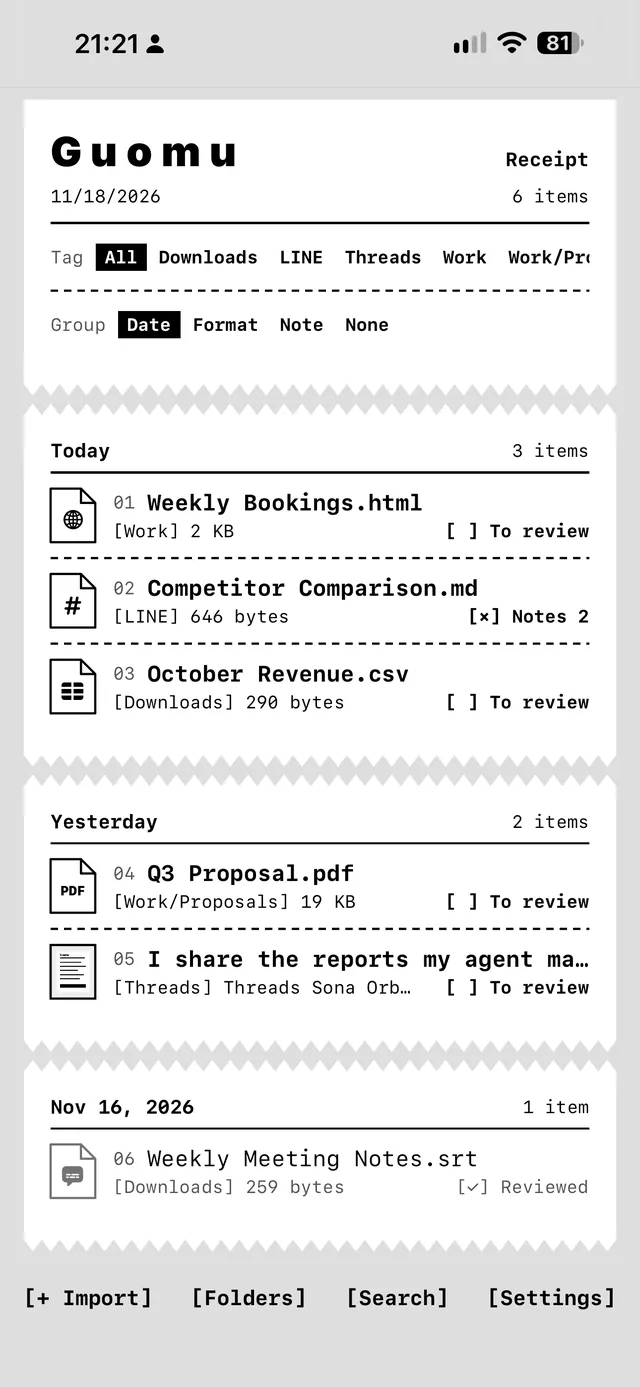
The Guomu receipt list showing six deliveries
▲ The receipt list. Each file you receive gets a row with its label, size and status.

Files it opens

One app for 38 formats. When a file cannot be opened, Guomu says so, and you can pass it to another app or view its raw contents.

Documents
PDF, Word, Excel, PowerPoint, Pages, Numbers, Keynote, RTF
Web pages and notes
HTML, SVG, Markdown
Data
CSV, TSV, JSON, GeoJSON, YAML, XML, plist
Code and text
TXT, LOG, Swift, JavaScript, TypeScript, Python, CSS, patch
Images
JPG, PNG, HEIC, WebP, AVIF, GIF, TIFF, BMP
Audio, video, subtitles
MP3, M4A, WAV, FLAC, AAC, MP4, MOV, SRT, VTT
Archives and ebooks
ZIP, EPUB, CBZ
Other
fonts TTF, OTF; certificates PEM, CER; 3D models USDZ, OBJ, STL; calendar ICS; contact card VCF; email EML

Files it does not recognize can be viewed as hex or binary. SKP, DWG, RAR and 7Z cannot be opened yet.

What it does

01Receive · Preview

Share it in, read it full screen

Tap Share in any app, choose Guomu and accept: LINE, Mail, Safari, Files, or an AI app such as Claude or Gemini. Files can also be imported from the Files app, and a ZIP opens straight to its contents.

Files open full screen. Three square buttons in the bottom-right corner go back, mark the file as reviewed, or bring up the full controls, and your thumb reaches them with one hand. Before a large file opens, Guomu shows its size. HTML is shown without running its code; to use a timer, an expense tracker or another small tool an AI made, switch to Offline mini app and it works, without network access.
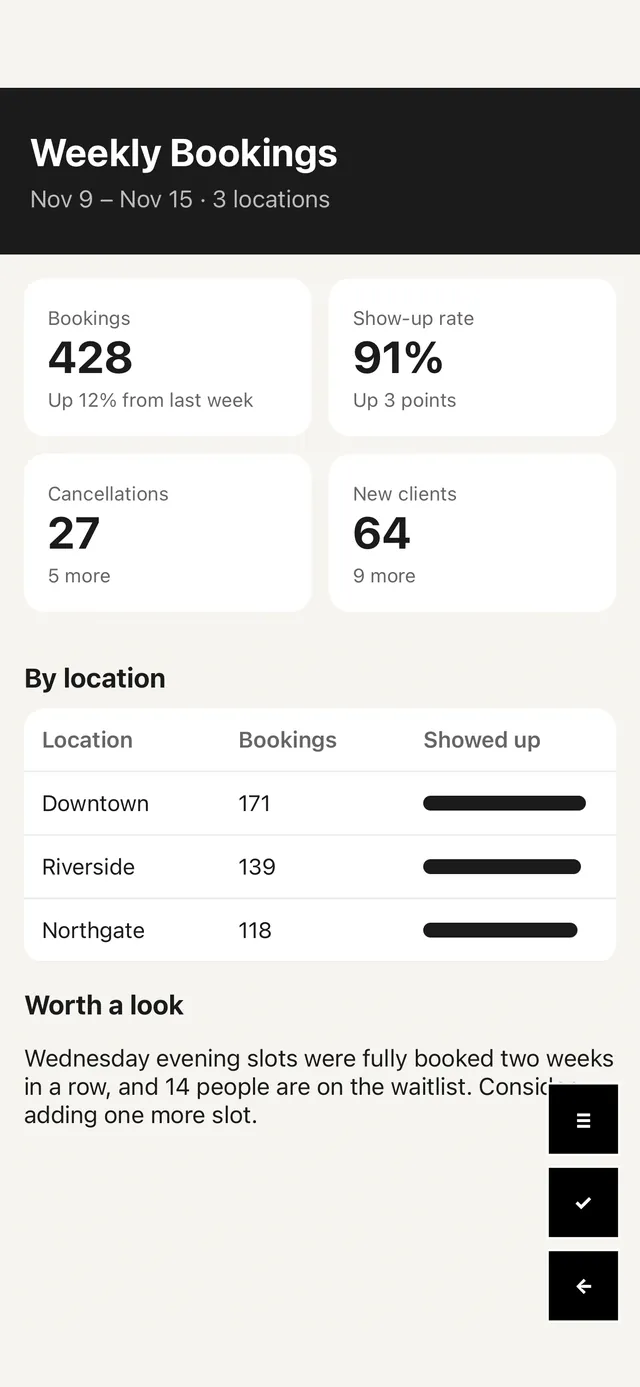
An HTML booking report shown full screen, with three black square buttons at the bottom right
▲ An HTML report, full screen. The three buttons sit at the bottom right.

02Notes

Leave a note where something needs changing

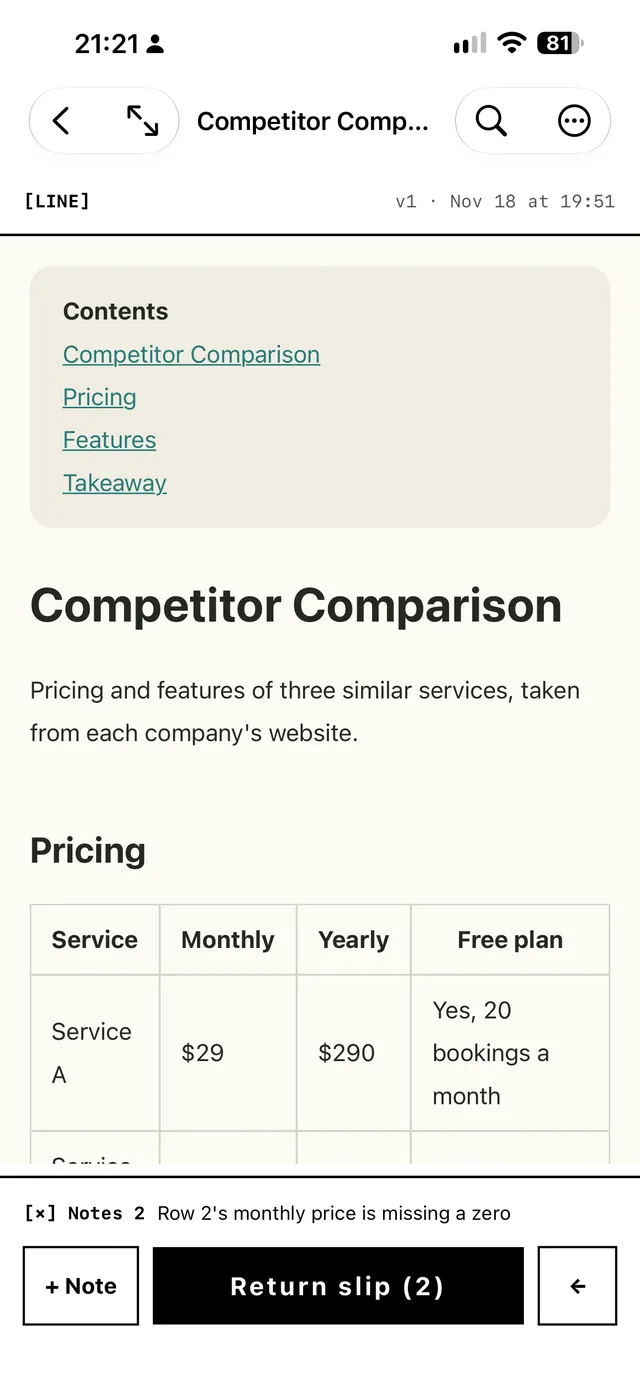
Add a note to a file that says where and what to change. Each item has one of three statuses: to review, with notes, reviewed. The receipt list can show only the items with notes.

When an AI or a colleague made the file, the return slip gathers the open notes into one piece of text that you copy or share back to them. When a file with the same name comes in again, it is marked as version 2.

A Markdown document with a note and a return slip button at the bottom
▲ A Markdown file with one note below it. The button at the bottom turns the notes into a return slip.

03Posts

Save a post from its link

Share a post's link from Threads, X, Instagram or Facebook, and Guomu saves the author, the text and the first image.

Only public posts can be read. Only the first image is kept and videos are not saved; for X, the saved image is the author's profile picture. Posts that need a login cannot be read.

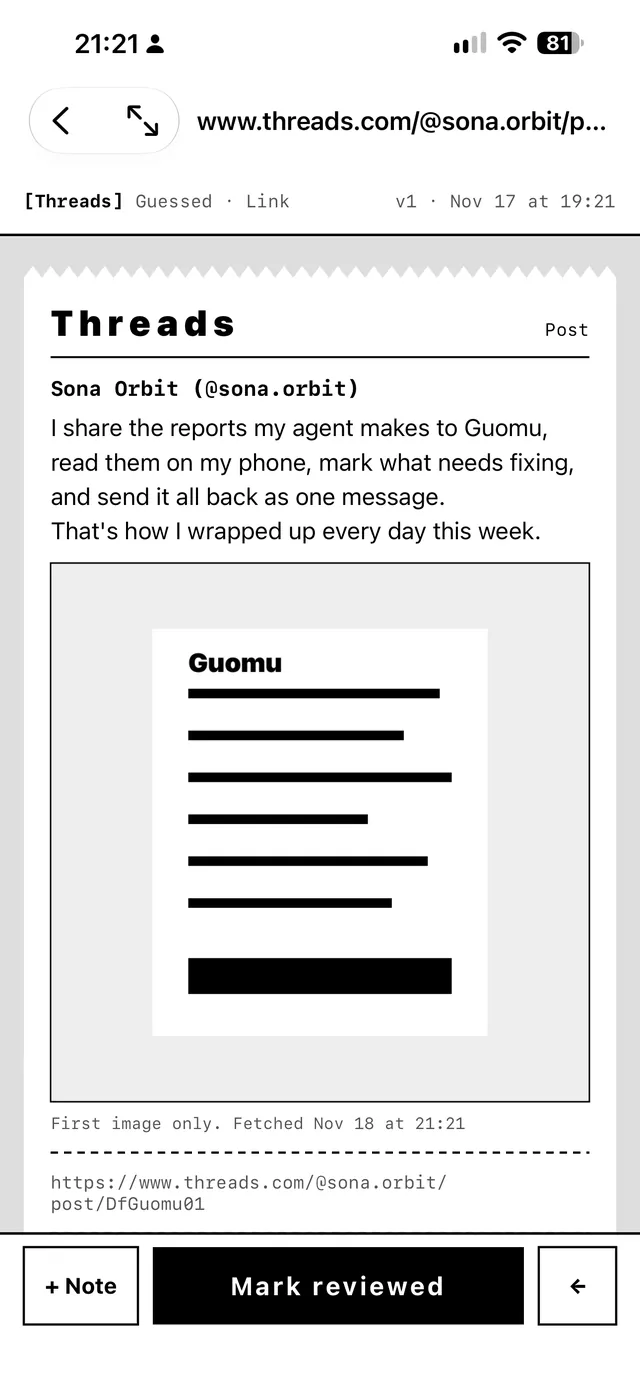
A saved Threads post with its author, text and one image
▲ A Threads post. The line under the image says only the first image was kept.

04Folders

Each label is a folder

Every item has one label, and the label is its folder; Guomu suggests one before you accept. Files are stored in the 過目 (Guomu) folder in your iCloud Drive, so the Files app on iPhone and your Mac can see them. Without iCloud, they stay on the phone.

On the folder page you can browse, move, delete and search by file name. The receipt list can be grouped by date, format or notes.

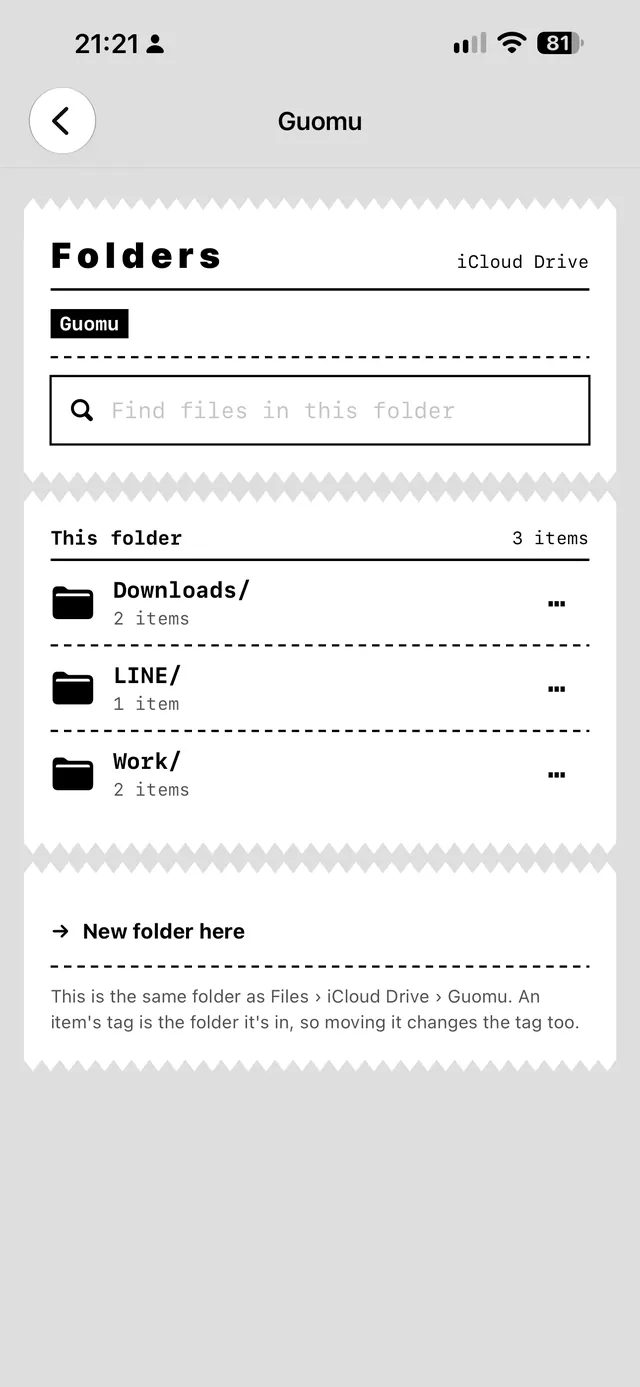
The folder page listing three folders
▲ The folder page on a phone that is not signed in to iCloud, so the top right reads “on this iPhone”.

When it helps

  1. A colleague sends meeting notes as a .md file in LINE. Opened directly, it is all # and *; shared to Guomu, the headings and tables are laid out.
  2. You download a ZIP of web pages or images and read it page by page in Guomu, without unzipping it first.
  3. You want to see what is inside a subtitle file, a JSON settings file or a CSV export, right on the phone.
  4. An AI made you a timer or an expense tracker as an HTML file. Switch to Offline mini app in Guomu and use it.
  5. A number in a report an AI made is wrong. Leave a note, then paste the return slip into the chat and ask for a fix.

Details

Device
iPhone with iOS 18 or later
Receives files from
the iOS share sheet, or imported from the Files app
App languages
繁體中文English日本語한국어ไทย
Category
Productivity
Developer
Sona Orbit

Limits

Free and Pro

Free

  • Keeps up to 10 deliveries
  • A banner ad below the receipt list
  • Everything else works the same

Pro

  • No limit on deliveries
  • No ads
  • Two more looks besides the receipt: Washi White and Retro

Pro comes as a monthly or yearly subscription, or a one-time purchase. Prices are as shown on the App Store.

After installing, choose Guomu in the share sheet the next time a file will not open.

Download Guomu on the App Store
Help and FAQ