Draw your own artwork with AI
Every Pandays style comes with a prompt we have tested ourselves. Copy it, paste it into ChatGPT or Gemini, attach a photo, and bring the picture back to Pandays: it becomes a widget that is yours alone. It takes about five minutes and no drawing skills.
What you need
- Pandays on your iPhone or iPad.
- ChatGPT or Gemini (app or website). Free plans can draw too, but only a limited number of pictures a day.
- A photo where the star is clear: a pet, yourself, the two of you, a favorite little thing. You can also skip the photo and describe it in words.
What you get
There are two kinds of styles: sticker sets (8 poses plus hand-drawn numbers, cut automatically by Pandays) and single pictures (one image that fills the widget, no cutting).
Sticker set: with a photo of a cat
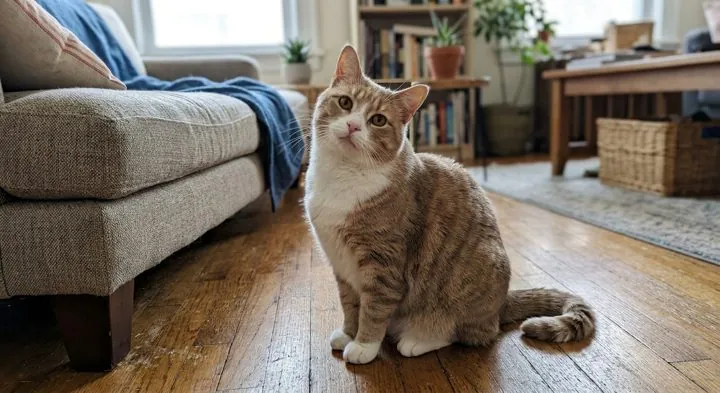
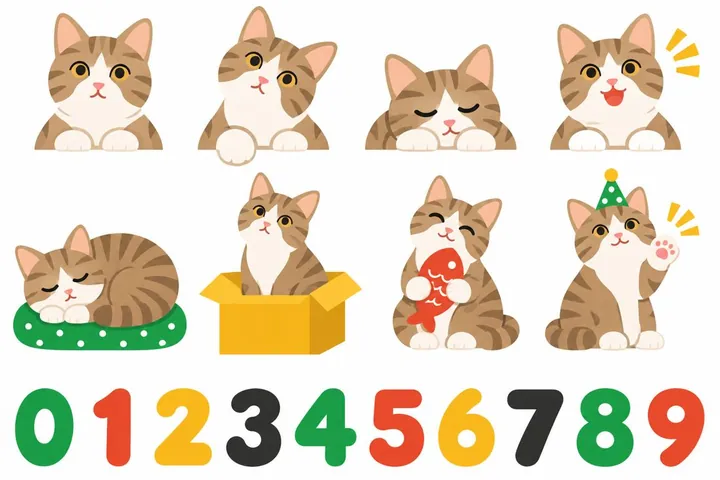
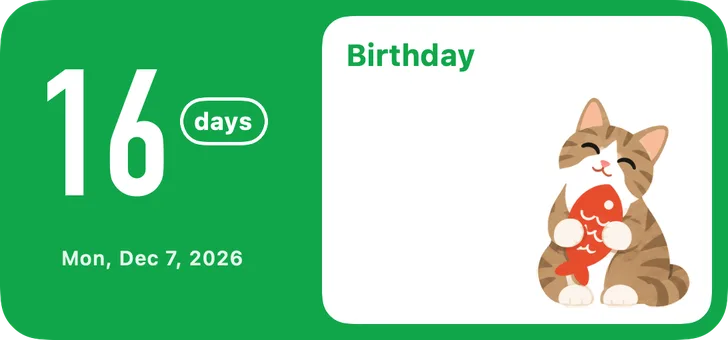
Single picture: with a photo of two people
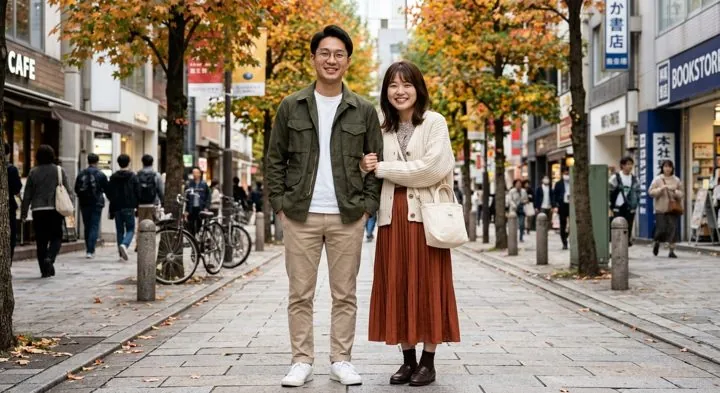
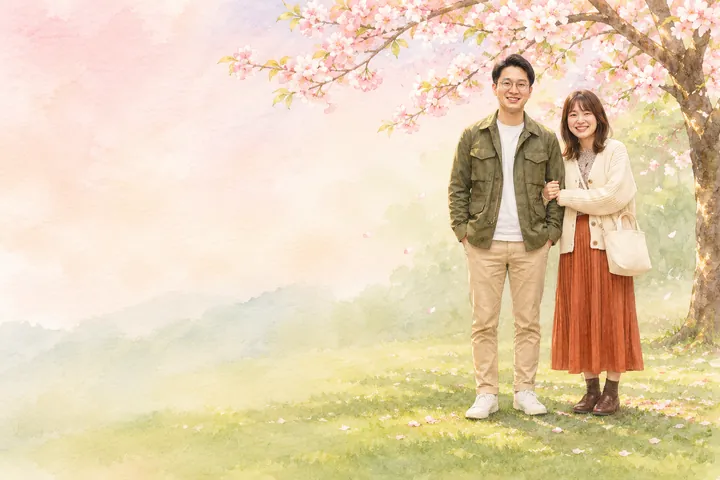
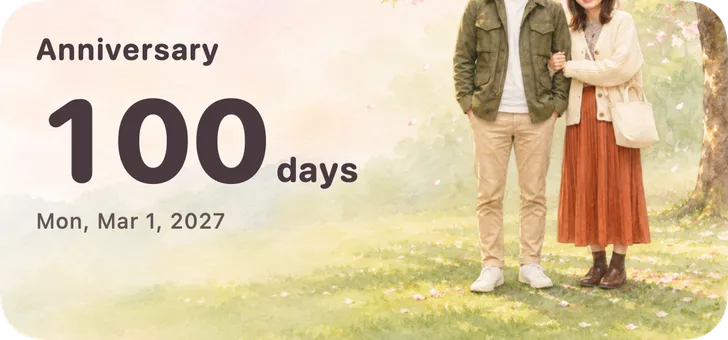
1. Get the prompt in Pandays
- Go to “Create”, pick a style you like and tap “Make My Artwork in This Style”.
- Answer “Who's the star?”: a pet, yourself, a couple, a favorite thing, or family.
- The page first shows what this exact prompt really produced. If you like it, tap “Copy Prompt”. The prompt is in English; paste it as it is, no need to translate.
- Tap “Open ChatGPT” or “Open Gemini”.
2a. Drawing with ChatGPT
- Start a new chat.
- Tap “+” next to the message box and attach a photo of the star (optional).
- Long-press the message box, paste the prompt you copied, and send.
- Wait a minute or two for the picture. If it asks you a question first, reply “Please just draw it.”
- Open the picture and share it to “Pandays”, or save it to Photos.
2b. Drawing with Gemini
- Start a new chat.
- Tap “+” next to the message box and attach a photo of the star (optional).
- Paste the prompt and send. If it only answers in text, reply “Please draw it as one image.”
- Open the picture, then download or share it: save to Photos, or share to “Pandays”.
3. Bring the picture back to Pandays
- If you shared it to Pandays, open Pandays and it asks which artwork to make.
- If you saved it to Photos, go back to the same page and tap “Bring Back a Set” (for a single-picture style, “Bring the picture back”), then choose the picture.
- A sticker set is cut into 8 stickers and the numbers 0 to 9 automatically; tap any bad cut to drop it.
4. Make it look the way you want
After saving, the editor opens: drag and pinch on the preview to place the picture, and change the layout, number style and colors. You can always come back later: tap “Edit” on the artwork in “Create”.
What a good sticker-set picture looks like
- One square picture on a plain white background.
- Row 1: four peeking half-body poses (flat at the bottom).
- Row 2: four full-body poses.
- Row 3: ten hand-drawn numbers, 0 to 9, left to right.
- No other text, titles or watermarks.
When the picture isn't right
Reply in the same chat and ask it to redraw. One try is usually enough.
Numbers are missing, incomplete or out of order
Reply “The bottom row needs ten numbers, 0 to 9, left to right. Please redraw.” If Pandays still can't cut ten numbers, that's fine: it shows the days in a font instead.
The background isn't white, or has a grid or shadows
Reply “Make the background plain white with no shadows. Please redraw.” A white background cuts cleanest.
There is text or a title on the picture
Reply “No text at all on the picture. Please redraw.”
The eight poses don't look like the same character
Reply “All eight are the same character with the same face, colors and clothes. Please redraw.”
It doesn't look like my pet
Use a clear, well-lit photo where the star isn't tiny, or add a line describing it at the end of the prompt, such as fur color or markings.
It drew several separate pictures
Reply “Put everything in one single picture.” Pandays needs one whole picture.
It refuses to draw, or won't use a photo of a person
Skip the photo and describe the star in words after the prompt, or try the other AI.
It says you've used up today's limit
Free plans can draw only a few pictures a day. Try again tomorrow, or use the other AI.
You send your photo and the prompt to ChatGPT or Gemini yourself, and that service handles them under its own rules. Pandays never receives your photos and never uploads anything to us.
Still stuck? Visit the support page or write to us.Support