 Translator for iPhone
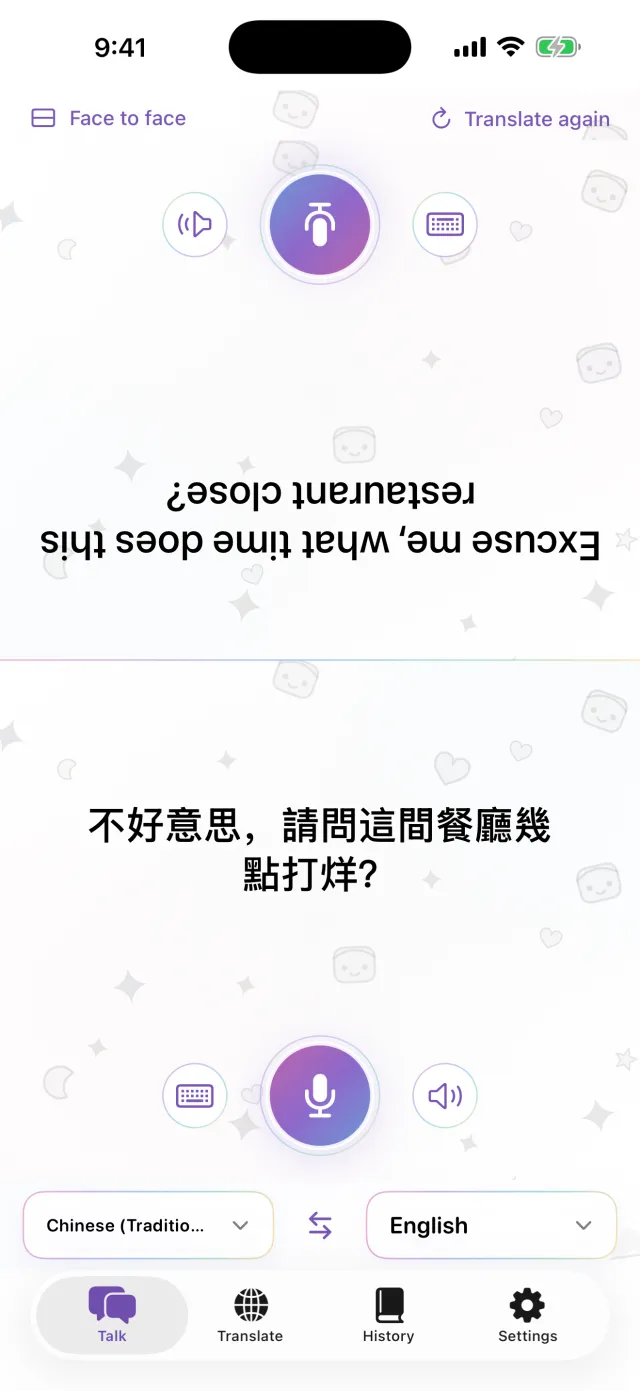
Put your iPhone between you.
That’s all.
Tap the mic and speak. The translation appears on the other half of the screen, facing them. When they answer, it works the same way. Download the languages first and it works without a connection.
Coming soon to the App Store- About 20 languages
- Offline after download
- No sign-up
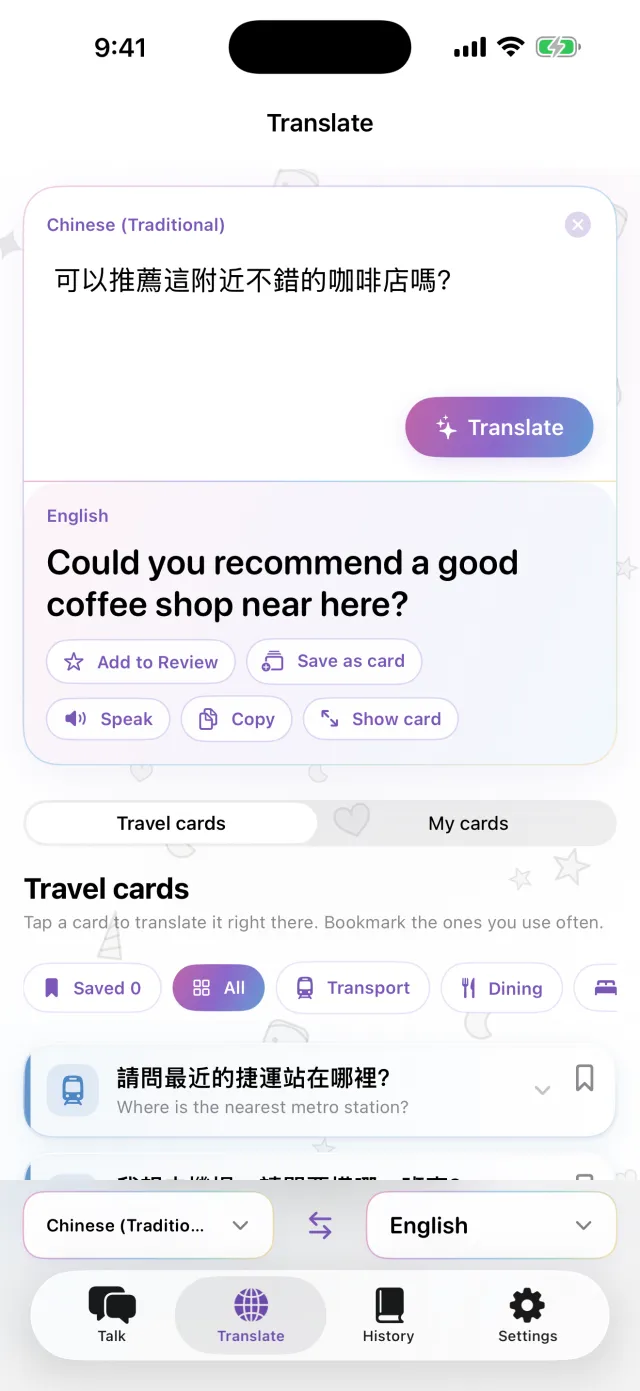
Typing
Can’t speak out loud? Type it.
In a quiet place, or when the other person talks too fast, just type. You can make the translation fill the screen and hold it up for them.
- Copy it, or have it read aloud
- Swap the two languages with one tap
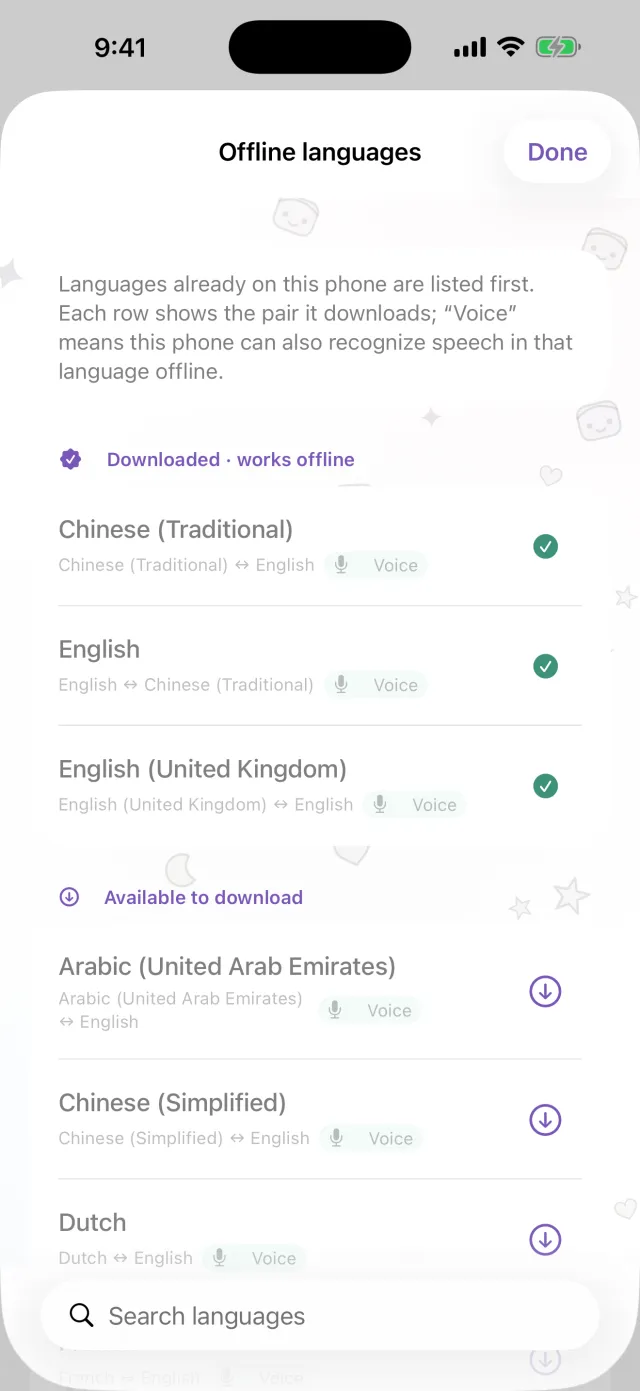
Offline
No connection, still translating
Translation, speech recognition and reading aloud all run on your iPhone. Download the languages you need before the trip, and it works on the plane or before you buy a SIM. What you say isn’t sent to a server, and recordings aren’t kept.
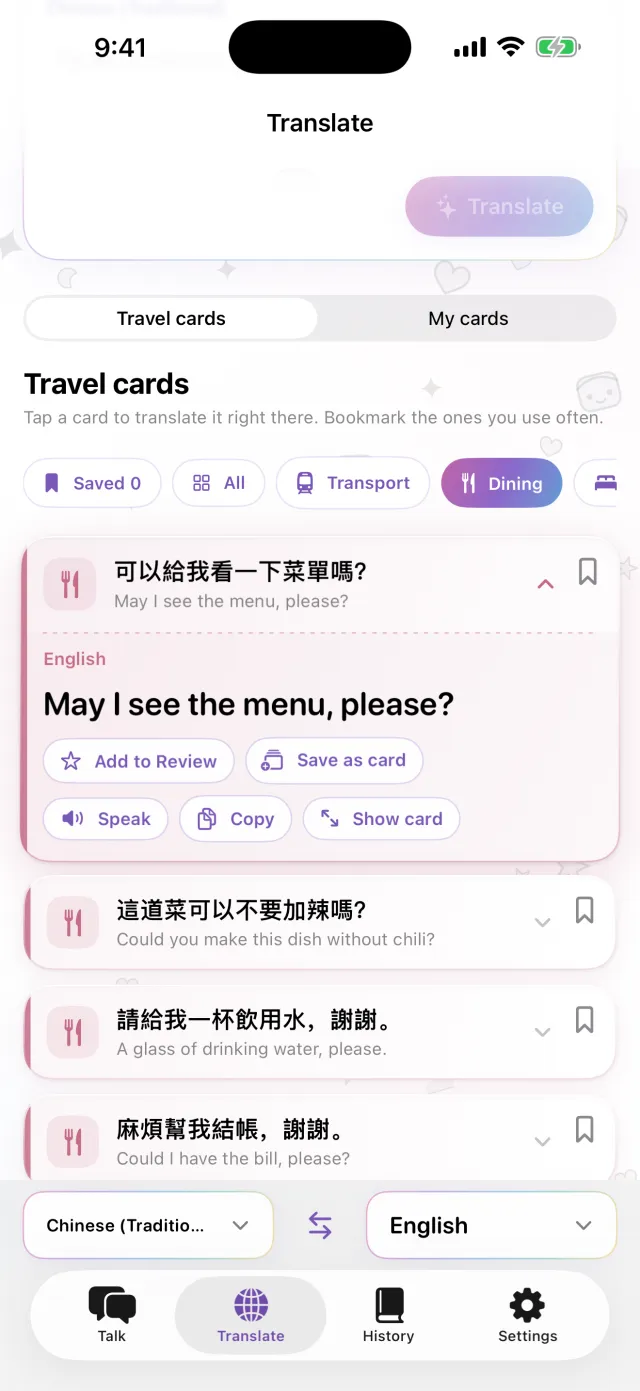
Phrase cards
Save the things you say every time
Your hotel address, a food allergy, the station you’re looking for. Save them as cards and you won’t type them again. Tap a card and it’s translated into the other person’s language. Ready-made cards for transport, dining, stays and shopping are included.
Pro
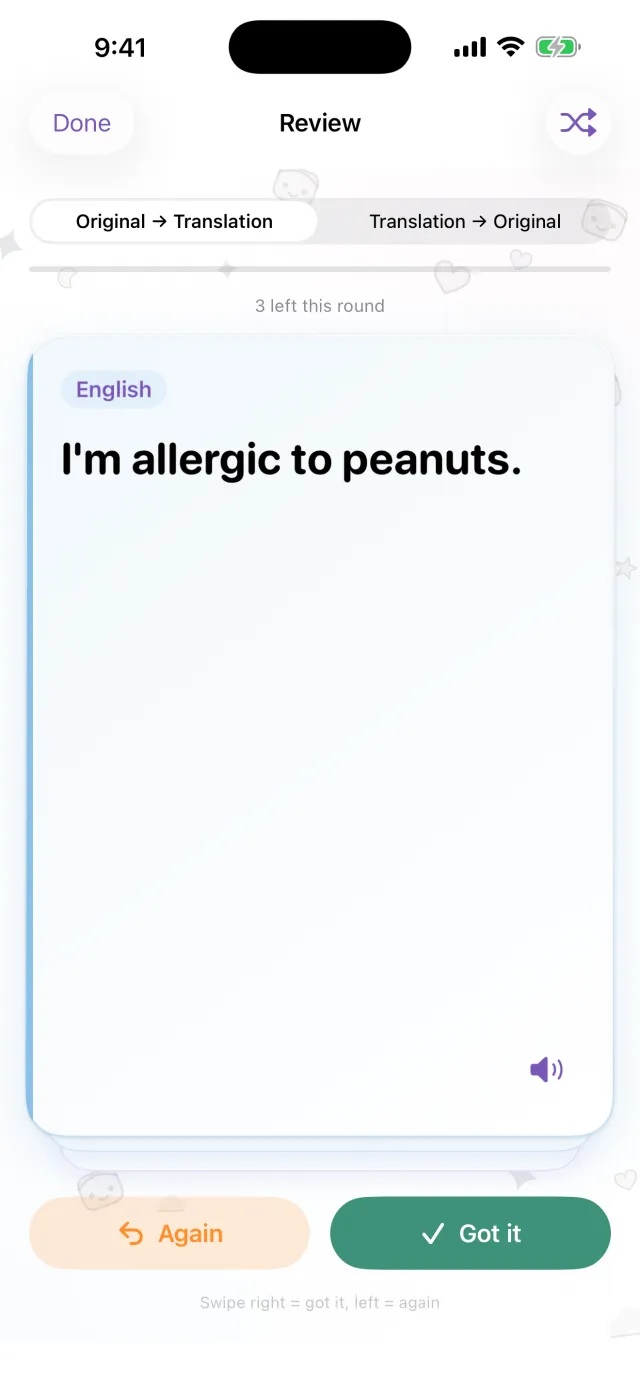
Review saved sentences when they’re due
Tap the star on a sentence to save it for review. If you remember it, it comes back after 1, 3, 7, 14, then 30 days. If you don’t, you see it again the same day. You can go from the original to the translation, or the other way round. This part is for Pro.
Handy for
- Ordering at a small restaurant
- Telling a taxi driver the address
- Explaining an allergy at a pharmacy
- Leaving bags at the hotel desk
- Asking the way
See it in 30 seconds
Airplane mode is on in this video.
The basics
| Languages | About 20 (the languages Apple translates on the device) |
|---|---|
| Offline | Yes, after downloading the languages |
| Speech input | Yes. Some languages are type-only |
| Account | Not needed |
| Price | Free. Pro is extra (see below) |
| Requires | iPhone with iOS 18 or later |
- You need a connection the first time, to download languages.
- Prices are shown in your local currency on the App Store.
Free and Pro
Free
- Face-to-face conversation
- Typing and full-screen display
- Offline translation
- Travel cards and 3 cards of your own
- Small banner ad
Pro
- No ads
- As many cards as you like
- Translation history and spaced review
Weekly, monthly, or buy once.

Before you go, download the languages.
Coming soon to the App StoreiPhone · iOS 18 or later · Free to download · How each screen works