
Support
Answers to common questions about Konjac Translate. If something isn’t covered here, write to us — we read every message.
sona.orbit.hi@gmail.com
Please tell us your iPhone model, iOS version and the two languages you were using.
Frequently asked questions
How do I download a language?
Open the Settings tab in the app and go to Offline languages. Languages already on your iPhone are listed first; tap Download next to the pair you need and follow Apple’s download prompt. If a translation says the language pair needs to be downloaded, tap Download and retry.
Does it work offline?
Yes. Once both languages of a pair are downloaded, translation works without an internet connection. The network is only used to download languages.
The app can’t hear me. What should I do?
Konjac Translate needs Microphone and Speech Recognition access. Go to Settings > Privacy & Security > Microphone and Settings > Privacy & Security > Speech Recognition, and turn Konjac Translate on. Some languages support typing but not speech recognition on every device.
Translations aren’t read aloud, or the voice is missing.
Your iPhone needs a voice for that language. Go to Settings > Accessibility > Spoken Content > Voices, choose the language and download a voice. Also check that the ring/silent switch and volume are on.
How do I restore my purchase on a new iPhone?
Sign in with the same Apple Account, open the Pro screen in the app and tap Restore purchases.
How do I cancel my subscription?
Subscriptions are managed by Apple. Go to Settings, tap your name, then Subscriptions, choose Konjac Translate and tap Cancel Subscription. You keep Pro until the end of the current period.
How many custom cards can I make for free?
The free version includes 3 custom cards. Pro removes the limit, so you can make as many cards and decks as you like. The built-in travel cards are always free.
Which languages are supported?
About 20 languages — the languages Apple supports for on-device translation. Languages you have already downloaded appear first in the list.
Why are there ads, and how do I remove them?
The free version shows one small banner at the top of the screen (in conversation it stays on your half, never on the side turned to the other person). Any Pro plan removes all ads. What you say or translate is never used for ads.
Where is my history?
Everything you translate is kept on your iPhone. Browsing, searching and flash-card review of your history are part of Pro; upgrading unlocks everything you have already translated.
Use of Konjac Translate is governed by Apple’s Standard End User License Agreement. https://www.apple.com/legal/internet-services/itunes/dev/stdeula/
How the app works
Real screens from the app. The numbers match the notes next to each screen.
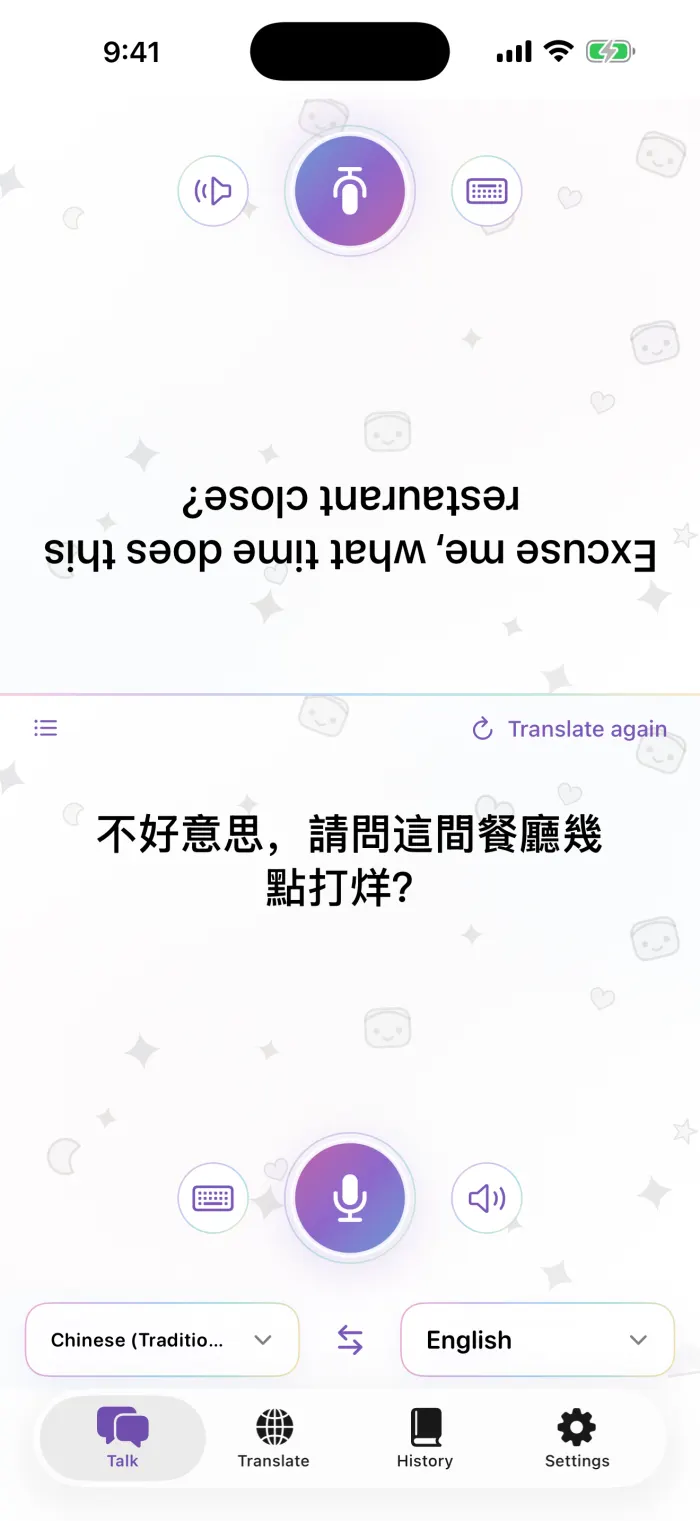
Conversation
- The other person’s side, upside down so they can read it across the table
- Tap the mic to speak
- Type instead
- Play the translation again
- Pick both languages; the arrows in the middle swap direction
- Translate the last sentence again after changing language
- Switch to a list view
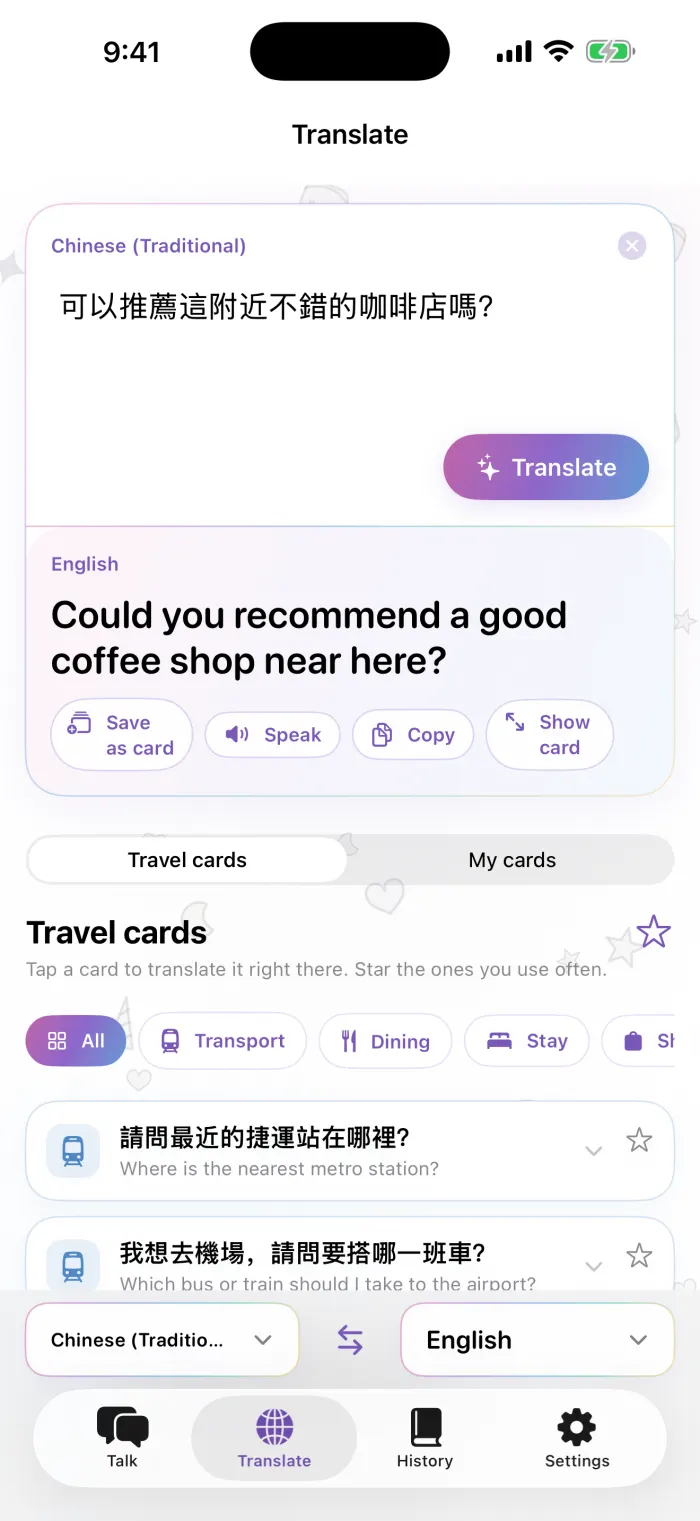
Translate
- Type what you want to say
- Translate
- The translation
- Save as card, speak, copy, or show it full screen
- Switch between travel cards and your own cards
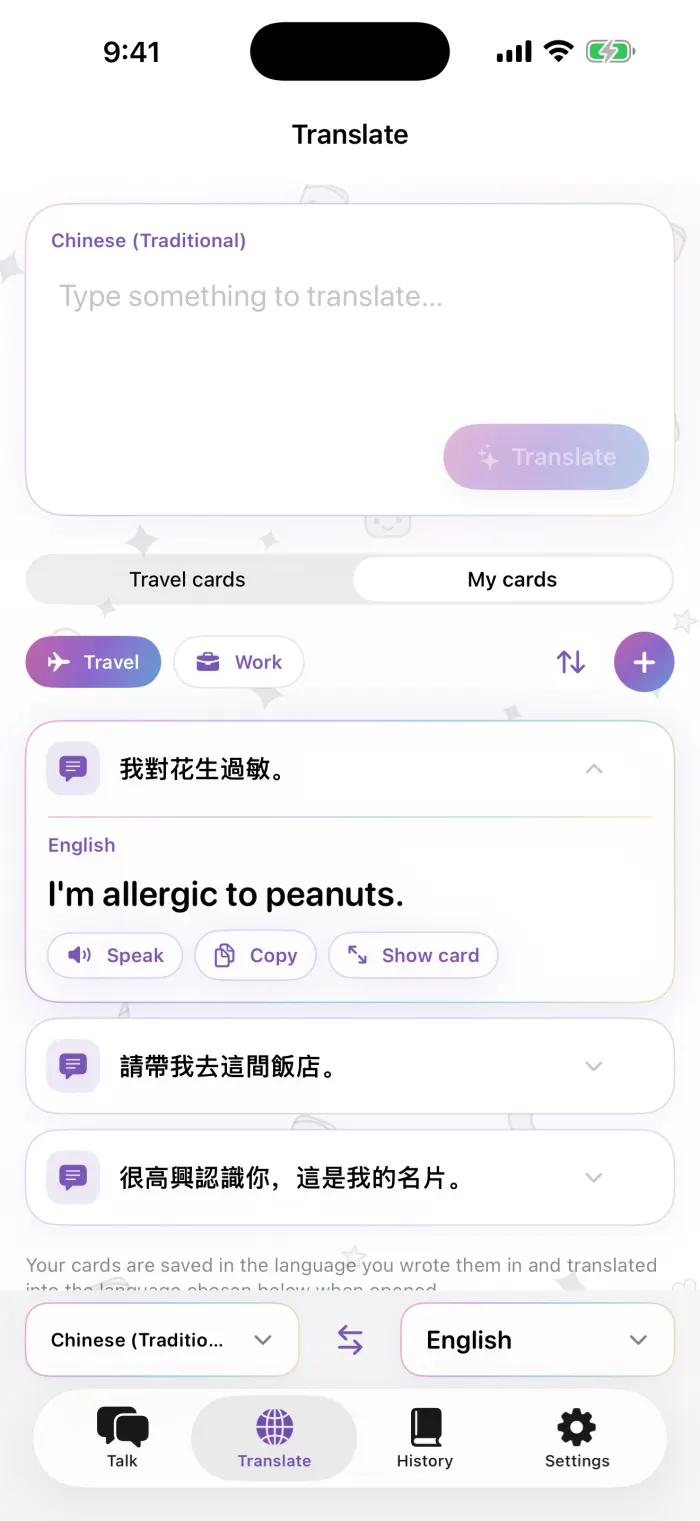
My cards
- Decks: travel, work, or your own
- Organize: reorder, delete, rename
- Add a card
- Tap a card to see the translation right inside it
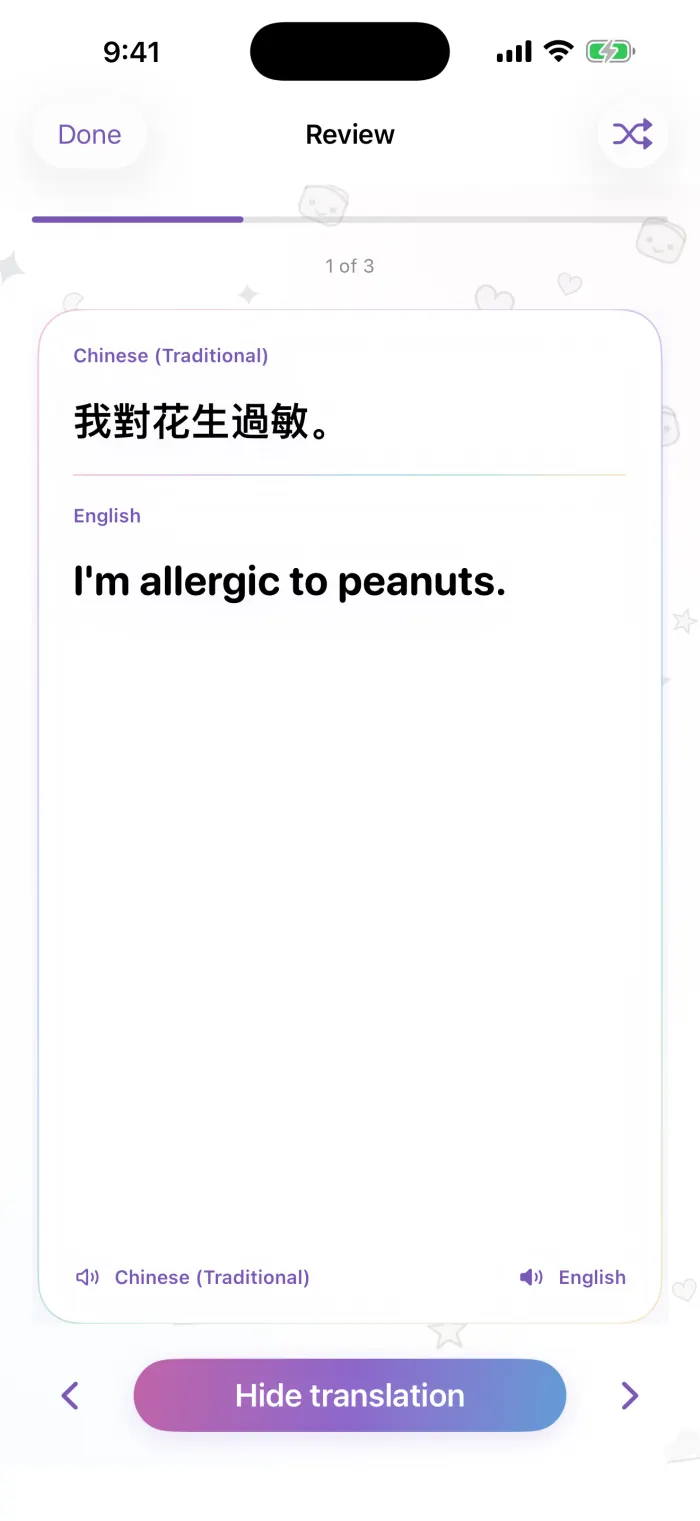
Review
- Original
- Translation, revealed with a tap
- Show or hide the translation
- Previous / next card (or swipe)
- Shuffle